
Commercial Security System Maintenance Checklist for Plano Businesses
A security system you cannot count on is worse than no system at all. For business owners across Plano, TX, it creates a false sense of protection while leaving real vulnerabilities wide open.

Most commercial security system failures are not caused by bad equipment. They are caused by neglected maintenance. Batteries drain. Sensors drift out of calibration. Camera lenses fog up. Motion detectors fall out of alignment. These are all preventable problems, and every single one of them can be caught before an incident exposes them, as long as your maintenance schedule is consistent.
This checklist gives Plano business owners and facility managers a practical, category-by-category framework for keeping every component of a commercial security system operating at full reliability year-round.
Key Takeaways
Preventive maintenance catches system failures before they happen, not after
Backup batteries in alarm panels and devices require testing every six months at minimum
Camera lenses, sensor alignment, and access control readers are the most commonly neglected components
NFPA 72 sets the standard for fire alarm inspection and testing frequencies for Texas businesses
A professional service inspection once per year, combined with regular in-house checks, is the standard for commercial properties in Plano and DFW
Documented maintenance records protect your business in liability situations and insurance claims
Table of Contents
Why Maintenance Is Non-Negotiable for Plano Businesses
Commercial security systems are built to perform reliably over years of continuous operation. But without scheduled maintenance, that reliability degrades quietly. A motion sensor that stops triggering after a minor power fluctuation. A camera whose infrared LEDs are coated in seasonal dust. An alarm panel battery that fails its load test six months after its replacement date passed.
None of these failures announce themselves. They wait until the moment your system is needed most.
For businesses in Plano's high-traffic commercial corridors along Preston Road, the Legacy corridor, and US-75, security system downtime is a liability exposure, not just an inconvenience. Regular maintenance is how you close that gap.
Alarm System and Control Panel Checks
The control panel is the brain of your commercial security system. Start every maintenance cycle here.
What to Check on the Control Panel
Verify the panel date and time are accurate (critical for incident log documentation)
Review and clear any active trouble codes or supervisory alerts
Test all communication paths: primary cellular, backup dialer, and monitoring center connectivity
Confirm firmware is current and note any manufacturer updates available
Inspect the panel cabinet for moisture intrusion, corrosion, or pest damage
Verify that all zone labels in the panel match current physical device locations
A panel that is reporting false trouble codes or showing communication errors needs professional attention before those issues mask a real security event.
Backup Battery Testing Schedule
Battery failure is the single most common cause of commercial alarm system outages during power disruptions. Most business owners do not know their backup battery has failed until the power goes out.
Battery Maintenance by System Type
Alarm control panels: Perform a visual check monthly. Conduct a full load test every six months.
Individual wireless sensors: Replace batteries on a calendar schedule, typically every 12 to 24 months depending on the device and manufacturer specifications.
Access control panels and readers: Inspect backup power quarterly and test under simulated outage conditions annually.
Fire alarm control panels: NFPA 72 requires battery testing at specific intervals. Annual load testing is the minimum for most commercial systems.
If your backup battery cannot sustain the rated standby time under load, replace it immediately. Do not wait for the next scheduled service cycle.
Security Camera and Video Surveillance Maintenance
Cameras are the most visible component of any commercial security system, but they are also among the most overlooked for maintenance. A camera that appears to be recording may be producing footage that is completely unusable.
Camera Maintenance Checklist
Clean lens surfaces with a microfiber cloth. Dust, cobwebs, and condensation degrade image quality significantly
Inspect all camera housings for cracks, moisture intrusion, or insect nesting in outdoor units
Verify field of view has not shifted due to mounting hardware loosening or physical impact
Test infrared and low-light performance by reviewing night footage regularly, not just during daylight inspections
Confirm recording is writing correctly to the NVR or cloud storage and that retention periods are set appropriately
Review footage storage capacity and confirm the system is not overwriting footage before the retention period ends
Check for vegetation or new signage obstructing camera sightlines, particularly on exterior perimeter cameras
For commercial video surveillance systems across Plano properties, schedule a full camera audit at least twice per year, with a quick visual walkthrough monthly.
Motion Sensors and Door/Window Contacts
Intrusion sensors are the detection layer of your alarm system. If they fail silently, your system reports an armed state while providing no actual protection.
Sensor Testing Procedure
Walk-test every motion detector in the system at least once per quarter by arming the system and physically triggering each zone
Test door and window contacts by opening each protected door and window and confirming the zone registers at the panel
Inspect sensor mounting brackets for loosening, particularly on high-traffic doors and in warehouse environments with vibration
Clean passive infrared (PIR) sensor covers with a dry cloth. Dust accumulation causes drift in detection sensitivity
Verify pet-immune or dual-technology sensors are functioning at the correct sensitivity settings after any change in building layout or HVAC configuration
Access Control System Maintenance
Access control systems manage who enters your building, which means a failure here creates both a security gap and a potential liability. Plano businesses relying on access control systems should include these checks in every maintenance cycle.
Access Control Maintenance Checklist
Test every card reader and keypad for responsiveness and accurate read rates
Verify that electric door strikes, magnetic locks, and gate release mechanisms engage and disengage correctly
Review the access log for unusual patterns, repeated failed attempts, or credential use outside of normal hours
Audit the user database and remove credentials for terminated employees, contractors, or vendors immediately after separation
Test door position sensors to confirm they accurately report door-open and door-held conditions
Verify request-to-exit (REX) devices are functioning correctly on all controlled doors
Credential audits should be performed immediately after any employee departure, not on a monthly schedule. A former employee whose access card still works is an active security vulnerability.
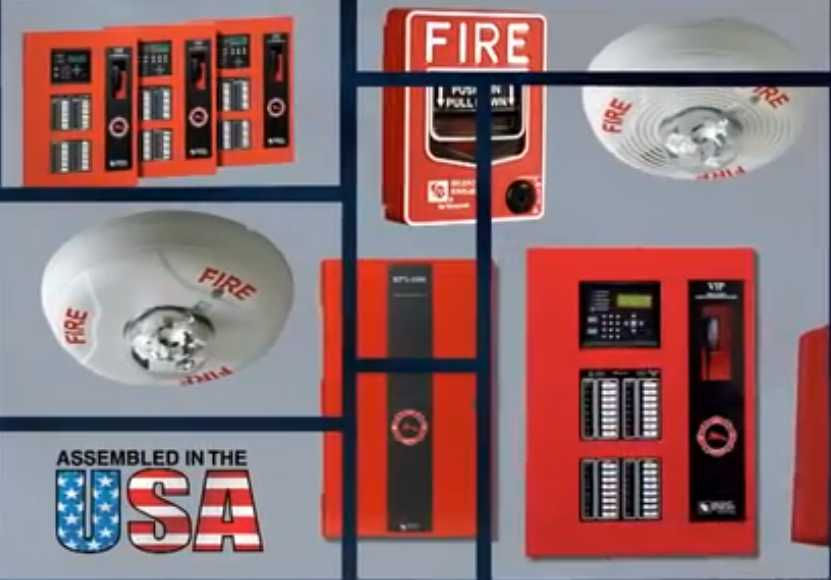
Fire Alarm System Maintenance (NFPA 72 Standards)
Fire alarm systems in Plano and across Texas are subject to NFPA 72 inspection, testing, and maintenance requirements. These are not optional. Non-compliance creates liability exposure and can affect your property insurance coverage.
According to the National Fire Protection Association's NFPA 72 standard, commercial fire alarm systems require visual inspection, functional testing, and documented maintenance at defined intervals. Smoke detectors require annual sensitivity testing. Pull stations require annual functional testing. Notification appliances including horns, strobes, and speakers require annual verification.
For a complete breakdown of Texas commercial fire alarm code compliance requirements, see our Texas fire alarm code compliance guide for Plano businesses.
Recommended Maintenance Frequency Table
Component | Monthly | Quarterly | Semi-Annual | Annual |
Alarm panel visual check | Yes | |||
Backup battery visual inspection | Yes | |||
Camera lens cleaning | Yes | |||
Sensor walk-test | Yes | |||
Door/window contact test | Yes | |||
Access control credential audit | Yes | |||
Backup battery load test | Yes | |||
Camera sightline audit | Yes | |||
Full system professional inspection | Yes | |||
Fire alarm sensitivity testing | Yes | |||
Fire alarm functional test | Yes | |||
Access control door hardware test | Yes |
When to Call a Professional vs. Handle It In-House
Not every maintenance task requires a certified technician. But some do, and confusing the two categories creates risk.
In-house maintenance tasks your team can handle:
Camera lens cleaning
Monthly visual checks of panel indicators
Sensor walk-tests
Credential database audits
Storage capacity reviews
Tasks that require a licensed professional:
Battery load testing under controlled conditions
Fire alarm sensitivity and functional testing per NFPA 72
Control panel firmware updates
Intrusion system programming changes
Any repair or replacement of system components
SAS Security's inspection and service team serves Plano and the full DFW Metroplex. A professional annual inspection, combined with consistent in-house monthly checks, is the standard that keeps commercial systems performing reliably.
Your security system is only as strong as its last maintenance check. Contact SAS Security to schedule a professional inspection for your Plano business. Call 972.312.1700.
FAQs
How often should a commercial security system be inspected?
Commercial security systems should receive a professional inspection annually at minimum. In-house checks of sensors, cameras, and panel indicators should be performed monthly. Battery load tests are recommended every six months.
What happens if backup batteries are not tested regularly?
Untested backup batteries can fail silently. During a power outage, your alarm system loses all protection without working backup power. Battery failure is the leading cause of security system outages in commercial buildings.
How do I test motion sensors in my commercial building?
Arm your system and physically walk through each sensor's detection zone. Confirm each zone triggers at the panel. Test during both daytime and nighttime conditions since lighting affects some PIR sensor types.
What does NFPA 72 require for commercial fire alarm maintenance in Texas?
NFPA 72 requires annual functional testing of all fire alarm devices including detectors, pull stations, and notification appliances. Smoke detector sensitivity must be tested annually. A licensed fire alarm contractor must perform and document these tests.
How often should access control credentials be audited?
Access credentials should be audited immediately after any employee termination and reviewed quarterly for all active users. Stale credentials from former staff or vendors are a direct security vulnerability.
Can I handle commercial security maintenance in-house?
Basic tasks like camera cleaning, visual checks, and sensor walk-tests can be performed in-house. However, battery load testing, fire alarm functional testing, and system programming changes require a licensed security technician.
Why does camera maintenance matter if the camera appears to be working?
A camera can appear operational while producing unusable footage due to lens contamination, IR failure, or shifted field of view. Regular maintenance confirms the camera captures what it needs to capture, not just that it is powered on.
What causes false alarms in commercial security systems?
Common causes include misaligned motion sensors, HVAC drafts triggering PIR detectors, dirty smoke detector chambers, and user errors during entry and exit. Regular maintenance reduces false alarm frequency significantly.
How do I know if my alarm panel needs professional service?
Persistent trouble codes, communication failures, zones showing open when doors are closed, and battery alerts that return after a fresh battery install are all signs that a licensed technician should inspect your system.
Does SAS Security offer maintenance service contracts for Plano businesses?
Yes. SAS Security provides professional inspection and service for commercial security systems across Plano and the DFW Metroplex. Contact SAS Security at 972.312.1700 or visit sassecuritytx.com/contact to discuss a maintenance plan.
References:
National Fire Protection Association: NFPA 72, National Fire Alarm and Signaling Code
Life Safety Consultants: Fire Alarm System Preventive Maintenance Annual Checklist


Comments